Automation & AI

AI document analysis – less manual effort


Businesses are inundated with emails, letters and other documents every day – each document needs to be viewed and prepared for further processing. This takes a lot of time every day. It is also prone to errors. Document analysis with AI solves these problems and reliably processes your unstructured data.

25 February 2025 – Frank von Orlikowski

Man smiles because AI helps him with document recognition in the office.

Recognising documents and understanding content


Document processing systems are integrated into document management or ECM systems. They are able to recognise, extract and process information from physical or digital documents. Where document processing with OCR only sees strings of characters, AI recognises content, categorises documents and extracts important data in context. This dramatically improves the way you work with different documents.

The technology behind AI document analysis


From recognition to understanding: this is made possible by developments in technology and the coordinated interaction of systems. OCR continues to extract text from images and scans. Machine learning then analyses the documents. It recognises structures and patterns and sorts out relevant content for further processing. Finally, natural language processing (NLP) understands the semantic context and automatically categorises the content according to its meaning.

FeatureOCRMachine LearningNatural Language Processing
ObjectiveExtract text from imagesRecognise patterns and make decisionsUnderstand and interpret language
InputScanned documentsDocuments, training dataTexts in natural language
ResultRaw textContextual dataContextualised and interpreted content
StrengthBasic text recognitionAdaptation to different document typesCapturing context and meaning
LimitationNo understanding of contextRequires trainingDepends on linguistic nuances

Reliable content recognition

Interoperability enables users to get the best document processing results. Each system does what it does best. The result is data that is processed quickly and accurately, even with complex or unstructured documents. And as a user, you benefit from this.

💡 Our tip: When selecting a document management system, check whether it already uses AI to analyse documents in addition to classic OCR scanning.

The white paper describes how business processes and document management can be made significantly more efficient with AI.

White Paper: AI and Document Management


Artificial intelligence: Harmonise your document processes

In our free white paper on AI and document management, you will learn how to professionally manage business processes and make your company significantly more efficient. Download now for free!

Save time and reduce errors

In companies, document processing with AI is used in document-centric processes to make everyday work easier for users. It reduces errors that occur when data is entered manually, ensures that documents are categorised consistently, verifies that everything is correct and stores documents in a way that makes them easy to find. This saves a lot of time every day. On the one hand, during the processing itself, and on the other, when searching for documents. In fact, according to a KYOCERA study, office workers in Germany spend up to two hours a day searching for and processing documents.

Where is AI document analysis used?

Automatic document analysis with AI supports document management, incoming mail, contract management or incoming invoice processing.

Document Management

  • Automatically classifies and archives documents such as contracts, invoices and protocols
  • Full-text search with NLP
  • Complies with legal retention requirements
  • Automatic translation of documents

➡️ Your benefit: Improved organisation of documents and quick retrieval without tedious searching

Incoming Mail

  • Recognises and digitises letters, faxes and emails and processes the information
  • Forwards documents to the appropriate departments or persons

➡️ Your benefit: Less paper and faster processing of incoming documents

Contract Management

  • Automatic analysis and management of contracts and generation of new contract content
  • Identifies deadlines, parties, cancellation clauses and payment terms
  • Comparison of contract versions
  • Categorisation by contract type and intelligent contract search

➡️ Your benefit: Avoid missing deadlines with automatic notifications

Incoming Invoice Processing

  • Automatically recognises invoice numbers, amounts, VAT and payment terms
  • Matches invoice data with purchase orders or delivery notes
  • Enters data into accounting and ERP systems

➡️ Your benefit: Avoids errors and double entries

Applicable across all industries

Depending on the industry or department, document processing with AI takes on more specialised use cases, such as reviewing application documents, ensuring compliance with applicable laws and regulations, or ensuring the completeness of logistics documents. It makes it easier for people in all industries and departments to work in document-centric processes, ensuring fewer errors, completeness and better retrieval of information.

The benefits of data recognition with AI


Document analysis with AI leads to consistent filing, effective document control and improved file retrieval. These systems are scalable and constantly evolving to support an increasing number of areas. This means that AI not only handles document processing, but also facilitates entire areas of work, such as accounting.

These are the types of documents that AI recognises

Every day, emails, letters, images and faxes arrive in various inboxes. AI-driven document analysis is able to recognise all of these document types. However, paper letters need to be scanned and digitised before document processing can begin. AI then recognises content in various image files, PDF files, text and spreadsheet formats and knows what needs to be done with the documents.

How does the AI know what to do?


After recognising characters using OCR and analysing semantic context using NLP, the AI acts according to pre-trained models. The training data teaches the AI how to react when it encounters data points such as invoice numbers, payment terms or contract clauses. It also learns the rules in your company and knows, for example, which people process invoices or which predefined workflow is triggered by the document.

Challenges for both technology and human beings

AI in document analysis makes many processes faster and easier. It reduces human errors, but unfortunately it is not yet completely error-free. That’s why it occasionally needs human feedback from users. This creates a continuous learning process that allows the AI to constantly improve itself.
Another important issue is the quality of the data used to train the AI. To get the most out of document analysis with AI, humans need to have an overview of the individual processes in the company and be open-minded and willing to train the AI system.

Reduction in document processing workload


Using a DMS or ECM that processes documents with AI support already makes work much easier. Further technological advances and improved training will make the results even more accurate in the future. However, many users still remain concerned: How secure is their data?

Data and document security

Information is important to businesses and is subject to strict regulations. When choosing a product, you should not only consider the functionality, but also the data security of the systems. Shareflex meets all legal requirements and uses Microsoft 365 as a basis for mapping the document-centric processes in your company – a productivity platform that is already used in most companies. We are happy to consult you on our solutions for your document-centric processes.


Shareflex® Documents


Document Management with SharePoint and Microsoft 365

With Shareflex Documents you get a tailor-made solution for process and document management with SharePoint and Microsoft 365.

  • ✯ Manage documents more efficiently
  • ✯ Simplify access and speed up searches
  • ✯ Increase productivity and save costs
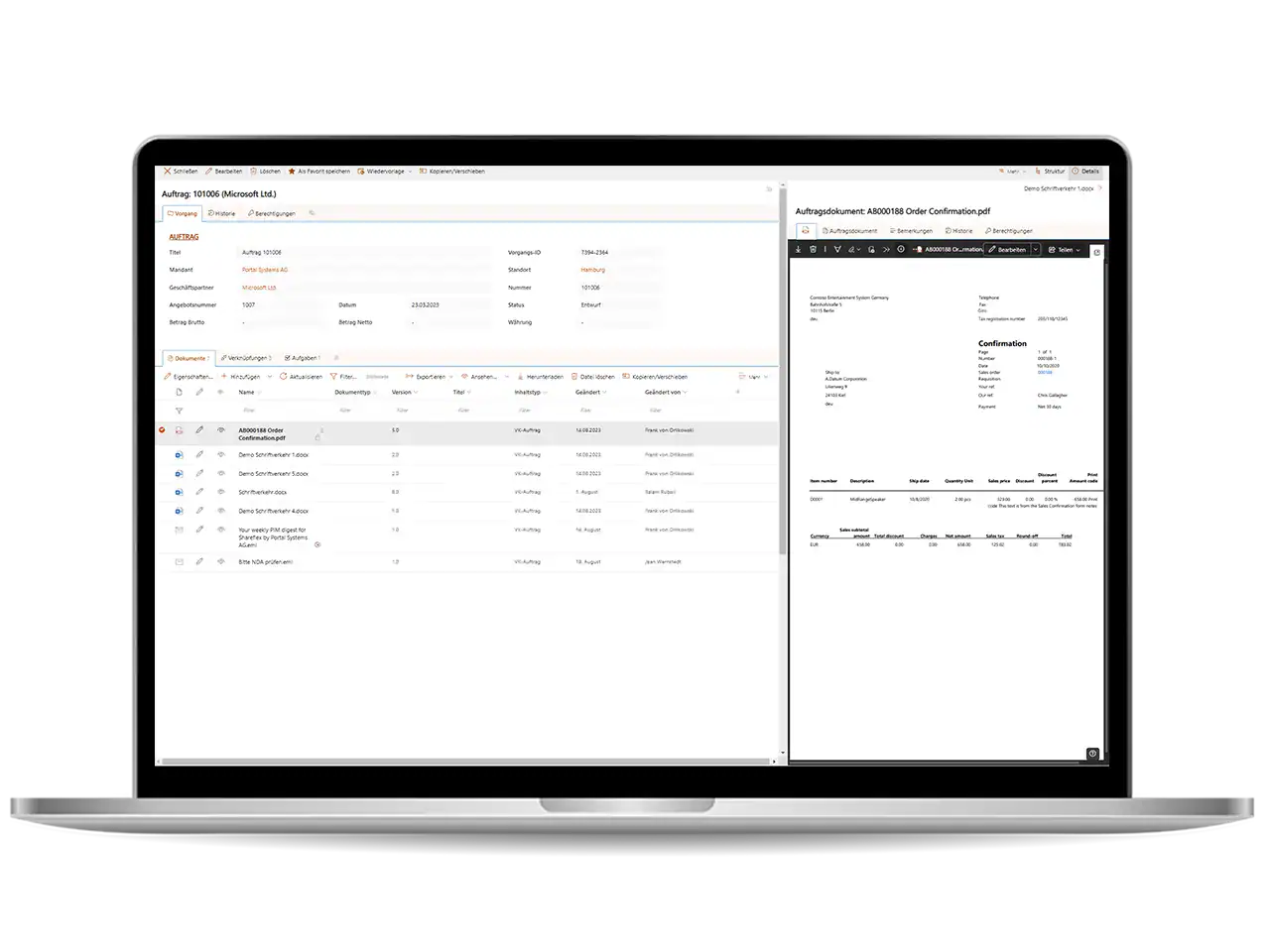
The user interface of Shareflex Documents, the document management software with SharePoint Online and Microsoft 365.

FAQ


Is OCR an AI?

OCR is a systematic method of recognising optical characters in text. OCR often does this using pre-defined rules. It only recognises strings of characters, not contexts or meanings.

Can AI read scanned documents?

ChatGPT answers this question as follows: I can analyse scanned documents if they are clear and legible and uploaded as an image or PDF. However, it depends on whether the text in the document is in image or machine-readable form. If the text is only available as an image, I can use optical character recognition (OCR) to extract the text.

Portrait of Frank von Orlikowski.

Hamburg, 25 February 2025

Author: Frank von Orlikowski

Please feel free to share this article:

Request a non-binding consultation now!

Portal Systems is Microsoft Solutions Partner Digital and App Innovation Azure.
The Microsoft Solutions Partner logo Data & AI Azure.
The ISO/IEC 27001 certificate for Portal Systems AG and SaaS Shareflex Solutions.
The BSFZ® seal for innovative research and development.
Seal ‘“Practice partner for the dual study programme at IU International University (IU)”'.