ECM vs ERP: The Differences Explained


ECM and ERP are core components of modern corporate IT. But what do the two systems actually do, and what is the difference between ECM and ERP?

Both solutions help companies digitise and manage their business processes, but each has a different focus. While an ERP system primarily maps business processes and structured company data, an ECM concentrates on documents and information. In practice, the two systems can be connected so that they complement each other.

Below, you will learn what characterises ECM and ERP, where the key differences lie and how the two systems work together.

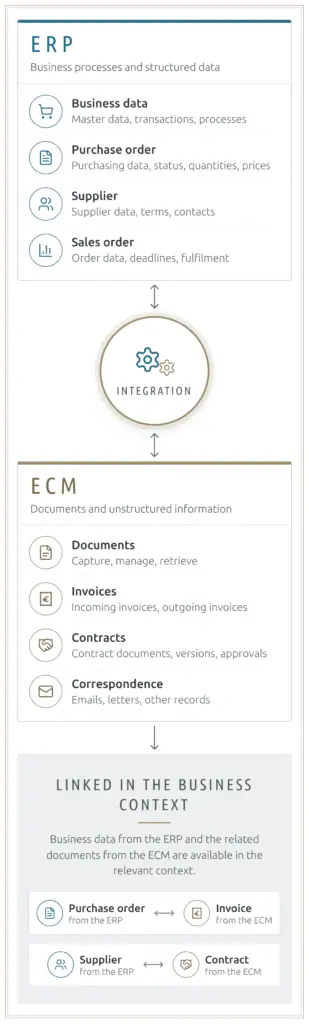
Wiki article: ECM vs ERP.

What is ECM?


Enterprise Content Management (ECM) refers to the full range of methods, processes and software solutions that companies use to digitally capture, manage, edit, store and retrieve business-relevant content and information.

The focus is primarily on documents and unstructured information. An ECM system helps companies, for example, to manage contracts, invoices, personnel records or business correspondence centrally and to organise access to them.

Typical functions of an ECM include:

  • Document management: capturing documents digitally, filing them in a structured way, editing and retrieving them
  • Archiving: archiving information over the long term and in a traceable manner in line with applicable requirements. Retention periods also play an important role here.
  • Workflow management: mapping and automating document-based processes such as reviews and approvals digitally
  • Information management: making business information centrally available and accessible in the relevant context
  • Search and access: quickly finding the documents and information needed and making them available to authorised employees

ECM therefore goes beyond a pure document management system (DMS): while a DMS is primarily geared towards the structured management of documents, an ECM brings together various areas of digital information and document management.

Typical areas of application include contract management, incoming invoice processing, digital personnel files and electronic archiving. The aim is to manage information and document-based processes efficiently in digital form and make them available for the relevant business processes.

What is ERP?


ERP stands for Enterprise Resource Planning. An ERP system helps companies to plan, control and manage core business processes and the resources they require.

The focus is primarily on structured data and business processes. This includes, for example, information on customers and suppliers, orders, goods, services, finance or personnel.

Typical tasks of an ERP system include:

  • Planning and controlling business processes
  • Managing structured company and master data
  • Mapping ordering, purchasing and sales processes
  • Planning and managing resources
  • Processing business transactions
  • Providing information for operational management

ERP systems are therefore used in many areas of a business, including purchasing, sales, finance, production and operations. The individual functions are often provided by separate modules that are linked to one another.

Unlike an ECM, an ERP system therefore focuses less on managing documents and unstructured information and more on mapping and controlling structured business data and processes.

ECM vs ERP: the key differences

The difference between ECM and ERP is mainly reflected in the tasks they perform and the information they manage. While an ECM focuses on content, documents and unstructured information, an ERP is primarily used to manage structured data and map business transactions.

ECMERP
FocusContent, documents and informationResources, business data and processes
DataMainly unstructured or document-based informationMainly structured data
Typical functionsDocument management, archiving, workflows, searchPlanning, resource management, transaction processing
Typical use casesContract archiving, digital files, document reviewOrder processing, purchasing, sales, financial accounting
ObjectiveManaging information and documents efficiently and making them availablePlanning and controlling business processes and resources

Another difference between ECM and ERP lies in how information is used within the systems. In the ERP, the focus is on structured data and how it is processed within a business process. The ECM adds the associated documents and further information to this data.

Despite their different focuses, ECM and ERP also have things in common. Both can help to digitise business processes and make information centrally available to employees. In practice, the question is therefore often not ECM or ERP, but how the two systems can best work together.

How ECM and ERP work together


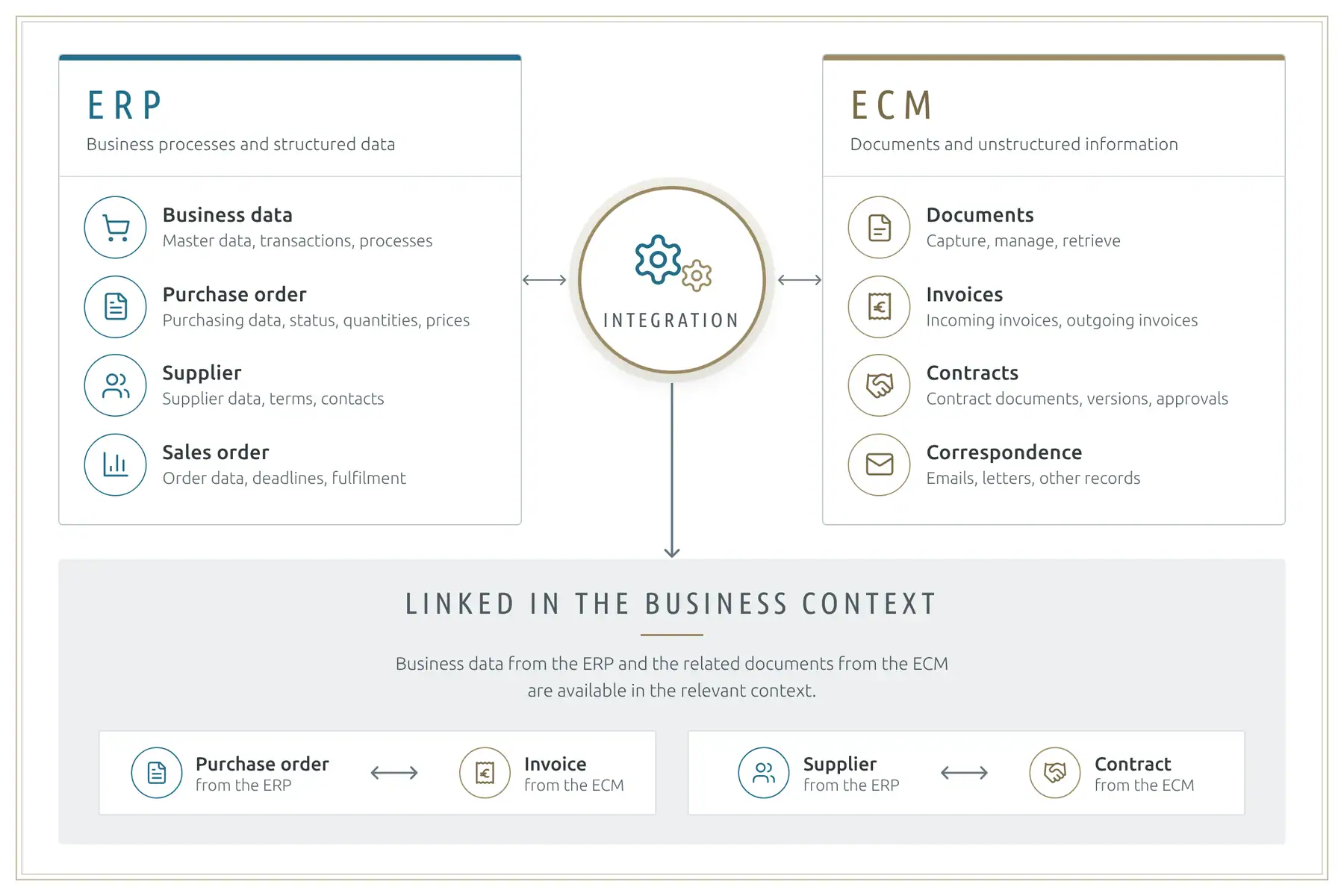
ECM and ERP perform different tasks, but they can work together within the same business processes. The ERP provides structured process and master data, while the ECM manages the associated documents and further information.

For example, purchase order and supplier data can be held in the ERP, while the related invoice and correspondence are stored in the ECM. By connecting the two systems, this information can be brought together in the relevant business context.

This gives employees access to the structured business data from the ERP and the associated documents from the ECM, without either system having to take over the other’s role.

ECM vs ERP infographic: an integration links business data from the ERP with the related documents from the ECM.

Integrating ECM and ERP


Integrating ECM and ERP makes it possible to link documents and information to the corresponding records and business transactions in the ERP. To do this, the two systems are connected via a technical interface.

Information can be exchanged between the systems or made available in the respective system. For example, documents from the ECM can be assigned to a specific customer, supplier, sales order or business transaction in the ERP.

Such a connection can help to reduce switching between systems and manual data transfers. As a result, employees can make better use of the information and documents they need in their respective working context.

The technical implementation depends on factors such as the systems in use, the available interfaces and the respective business processes. Cloud-based systems can also form part of an integrated corporate IT landscape. With a DMS for Dynamics 365 Business Central from Portal Systems, documents and business data from both systems can be linked to each other.

Shareflex® Documents for Dynamics 365 BC


Comprehensive document management directly within Microsoft Dynamics 365 Business Central

No need for a third-party system: Shareflex is a native Microsoft 365 solution. Find out more about the key benefits of Shareflex and how it enhances your existing Microsoft infrastructure with professional DMS features:

  • ✯ Pre-configured filing plan for getting started straight away
  • ✯ Mapping of all standard BC business processes
  • ✯ GoBD-compliant, audit-proof archiving
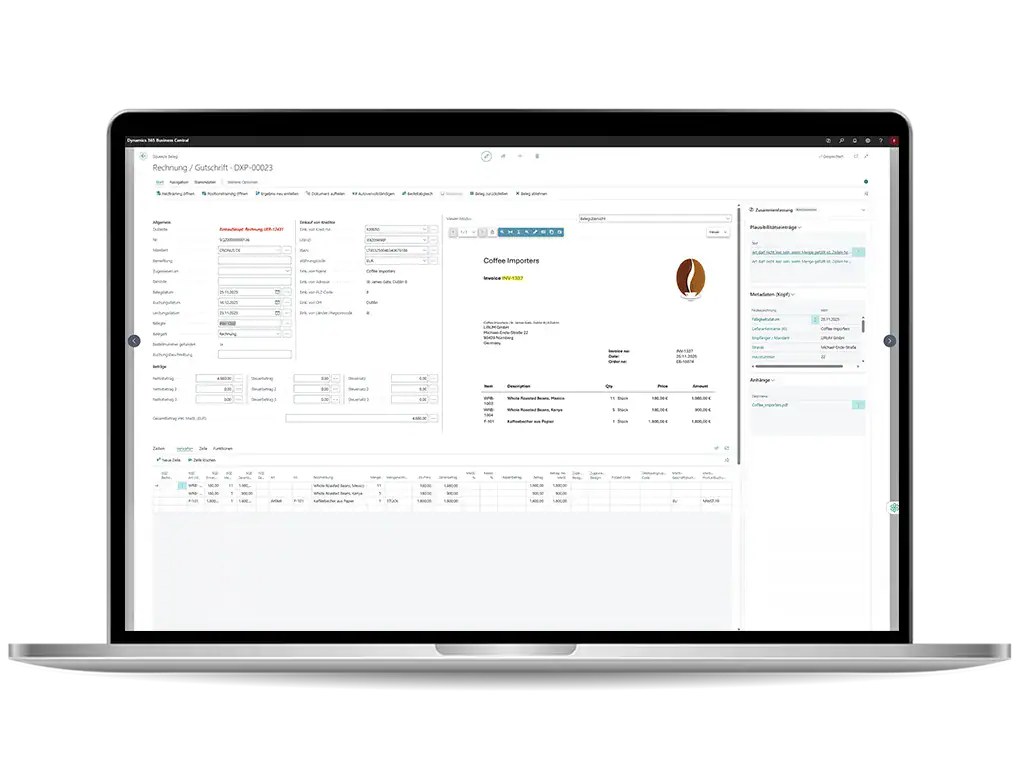
  • ✯ Dexpro BC integration: direct view of purchase orders and deliveries in a central BC screen, and much more
Dexpro integration with Shareflex Documents for Dynamics 365 BC, the native document management system for Business Central.

Practical examples: ECM and ERP in action


The combination of ECM and ERP can be used in various areas of a business. The ERP processes the structured data, while the ECM manages the associated documents and information.

Incoming invoices

An incoming invoice can be captured and archived in the ECM. Purchase order and posting data from the ERP can then be matched and assigned to the invoice.

Purchasing

In purchasing, purchase orders from the ERP can be linked to the associated quotations, delivery notes and invoices in the ECM. This means the relevant documents are available in the context of the respective business transaction.

Contract Management

With contract management software, contracts and their versions can be managed in the ECM. Relevant business data from the ERP can be assigned to the respective contract.

Human resources

In HR, employee master data and payroll records from the ERP can be linked to the documents in a digital personnel file in the ECM.

Sales and order processing

In order processing, sales order data from the ERP can be combined with quotations, correspondence and other documents from the ECM.

When does an ECM make sense in addition to an ERP?


An ECM can be a useful addition to an ERP if the ERP does not adequately cover the requirements for document and information management. This may be the case, for example, if many business-relevant documents are stored or processed outside the ERP.

Other signs include:

  • Employees regularly have to search for documents manually or switch between different systems.
  • Document-based approval and review processes need to be digitised.
  • There are requirements for archiving, traceability and document versioning.
  • Business documents need to be managed in a structured way and linked to the corresponding business transactions.
  • The existing ERP does not offer sufficient functions for certain document and information management requirements.

However, it cannot be said across the board that every company needs an ECM in addition to its ERP. What matters are the existing system landscape, the specific business processes and the requirements for handling documents and information.

Benefits of combining ECM and ERP


Connecting ECM and ERP creates a shared information base for business processes. Structured data from the ERP and the associated documents and information from the ECM can be provided directly within the respective business transaction.

Benefits include:

  • Central, context-based availability of data and documents
  • Less switching between systems and formats for employees
  • Faster searches for business-relevant information
  • Automation of document-based processes
  • Better traceability of processing and approval workflows
  • Support for compliance and retention requirements
  • Potentially shorter processing times and less manual effort

Conclusion


ECM and ERP are not direct alternatives; they fulfil different tasks within corporate IT. While the ERP manages structured business data and processes, the ECM focuses on documents, content and other business-relevant information.

Integrating the two systems allows data and documents to be linked. This enables companies to make document-based processes more efficient, find information more quickly and reduce manual work.

Which solution or combination makes sense depends on the company’s individual requirements and existing system landscape.

Graphic showing file folders, a laptop and figures searching for and managing documents.

Whitepaper: Document-centric business processes with Microsoft 365


Microsoft 365 as a platform for Enterprise Content Management

This white paper explains in detail what enterprise content management (ECM) involves. It also provides answers to the following questions: What are the advantages of ECM? When and why is ECM necessary? Is Microsoft 365 the right platform for ECM? Download now for free!

FAQ


Not necessarily. Whether an additional ECM makes sense depends on the company’s requirements and its existing system landscape. If the ERP adequately covers the requirements for document and information management, a separate ECM is not essential.

An ERP can provide certain functions for managing documents and information. However, an ERP focuses on structured business data and business processes, whereas an ECM is designed to manage documents, content and other unstructured information. Whether an ERP covers the requirements of an ECM therefore depends on the system in question and the specific requirements.

The ERP provides structured process and master data, while the ECM manages the associated documents and information. By connecting the systems, both types of information can be linked and made available in the relevant business context.

ECM and ERP can be connected via a technical interface. This allows documents to be linked to ERP records and business transactions, and information to be exchanged or made available between the systems.

The systems fulfil different tasks, so neither can be described as more or less important across the board. What matters is the requirements a company has for managing business data, documents and business processes. Depending on the system landscape, ECM and ERP can be used independently or integrated with each other.

An ERP system focuses on structured business data, resources and business processes. A DMS is used primarily for the structured management of documents. ECM goes beyond pure document management and includes further functions for managing content and information, such as archiving and workflow management. The difference between ERP and DMS therefore lies mainly in their respective focus: while an ERP maps business processes and structured company data, a DMS concentrates on managing documents.

Any questions? I will be happy to answer them personally!


Portrait of Patrick Carl, Chief Sales Officer at Portal Systems AG.

Patrick Carl
Chief Sales Officer

Email: info[at]portalsystems.de

Portal Systems is Microsoft Solutions Partner Digital and App Innovation Azure.
The Microsoft Solutions Partner logo Data & AI Azure.
The ISO/IEC 27001 certificate for Portal Systems AG and SaaS Shareflex Solutions.
The BSFZ® seal for innovative research and development.
Seal ‘Practice partner for the dual study programme at IU International University (IU)’.